
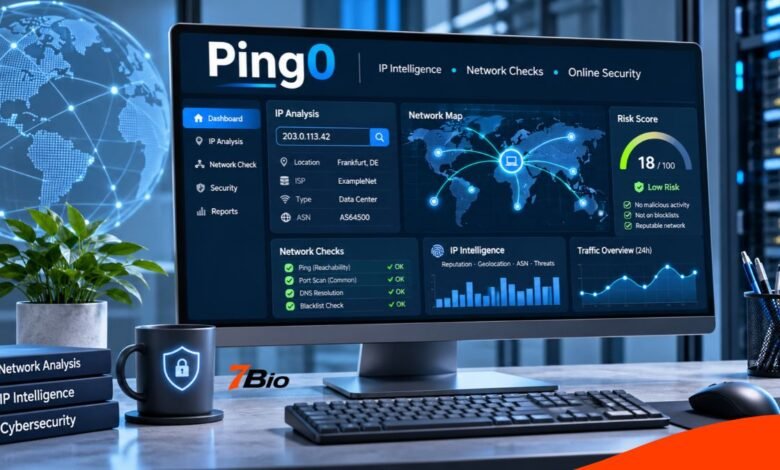
Ping0 is an online IP intelligence and network-checking tool that helps users examine the characteristics, reputation, and potential risks associated with an internet protocol address. Its best-known website, ping0.cc, provides information about IP ownership, network classification, geographical registration, risk indicators, and network diagnostics.
For website administrators, developers, network professionals and ordinary internet users, understanding an IP address can help explain connection problems, unexpected security warnings and differences between residential and datacentre networks.
However, an IP quality score should never be treated as definitive proof that an address is safe, suspicious or connected to unlawful activity. Different providers rely on different datasets, and their conclusions can vary.
The following guide explains the platform’s main capabilities, how to interpret its results and where additional checks are necessary.
What Is Ping0?
Ping0 is primarily associated with online tools that analyze IP addresses and provide information about network ownership, infrastructure, and risk.
The ping0.cc service focuses on IP classification and reputation assessment. Its documentation describes capabilities for distinguishing network categories, examining registration information and evaluating indicators of potentially suspicious network activity.
A separate website, ping0.xyz, also uses the Ping0 name and advertises IP intelligence and developer API capabilities. The two websites should not automatically be treated as the same service or assumed to share identical datasets, commercial terms, or scoring methods.
This distinction matters because someone searching for the keyword may encounter both websites and mistakenly assume that their features and results are interchangeable.
For users interested in IP cleanliness, registration history, and network diagnostics, ping0.cc is the focus of this guide.
How Does Ping0 Work?
The platform examines available network information associated with an IP address and presents the findings in a more accessible format.
An IP address is a numerical identifier used in internet communication. Public addresses can be associated with internet service providers, hosting companies, business networks, mobile infrastructure, and other organizations.
By analyzing network ownership and additional signals, an IP intelligence service can provide a useful picture of where an address belongs and how it may have been used.
The process involves several categories of information.
IP Ownership and Network Identification
One of the most useful starting points is identifying the network responsible for an address.
A lookup may provide the associated organization, autonomous system number, registration information, and geographical indicators.
An Autonomous System Number (ASN) identifies a network under a defined routing administration. It helps analysts understand which network advertises particular IP address ranges.
This information is useful when investigating hosting infrastructure, checking a service provider’s network or troubleshooting connectivity.
However, the organization that controls an IP range is not necessarily the organization or individual currently using every address in that range.
IP Type Classification
The platform distinguishes between addresses associated with internet data centers and those classified as non-datacentre connections.
This distinction helps users interpret whether an address appears to belong to conventional hosting infrastructure or another network category.
Importantly, the platform’s documentation explains that its residential or home-broadband label is broad. It may include business and educational connections that are not classified as dedicated datacentre IP addresses.
Therefore, a residential label should not be taken as proof that an address belongs to a particular household.
Reputation and Risk Analysis
The service also presents risk indicators intended to describe potentially suspicious activity associated with an address.
Its documentation identifies activities such as network scanning, attempted password attacks, automated crawling, spam, and other forms of network abuse as examples of signals considered in risk assessment.
The displayed result is an assessment generated by the service’s methods. It is not a universal security rating shared by every website or fraud-prevention provider.
Understanding the Ping0 Risk Score
A central feature is its numerical risk assessment.
According to the platform’s published explanation, its scoring scale runs from lower-risk classifications to higher-risk categories.
| Risk score | Platform classification | General interpretation |
|---|---|---|
| 0–15 | Extremely clean | Few identified risk signals |
| 15–25 | Clean | Relatively low identified risk |
| 25–40 | Neutral | Some uncertainty or risk indicators |
| 40–50 | Slight risk | Additional investigation may be useful |
| 50–70 | Elevated risk | More significant risk indicators |
| Above 70 | Very high risk | Strong warning under the platform’s system |
These categories describe the service’s published scoring approach, not an independently validated probability of fraud or malicious behavior.
For example, an address receiving a score of 60 should not automatically be interpreted as having a 60% probability of participating in fraud.
Likewise, a low score does not guarantee that an address is trustworthy.
The most useful interpretation is comparative: a result can indicate which addresses deserve closer examination, but it should not replace direct security evidence.
How to Check an IP Address
Using an IP lookup service generally requires only a few steps.
- Open the relevant website. Visit ping0.cc and locate the IP lookup interface.
- Identify the address. Decide whether you want to check your current public-facing address or another address you are authorized to investigate.
- Enter the IP address. Submit a valid IPv4 or IPv6 address, as supported by the lookup interface.
- Examine the results. Review the network organization, location information, IP classification, and risk indicators.
- Compare important findings. If a result could affect a security or business decision, verify it using other credible sources.
The precise interface may change as the website develops.
For an ordinary user, the first lookup can provide a helpful overview. For a system administrator, more valuable information may include the ASN, ownership history, and changes in network classification.
Native IP Addresses and Broadcast IP Addresses
The terms native IP and broadcast IP appear in discussions of IP quality and network registration.
Within this platform’s terminology, a native IP is generally an address whose registered country matches its identified geographical location.
A broadcast IP is a classification used when those countries do not match.
For example, an address range may be registered through an organization in one country but used through infrastructure located elsewhere.
Such differences can occur because of international network operations, address allocation arrangements and changes in network infrastructure.
These labels should be interpreted as the platform’s classification method rather than universal internet standards.
A native classification does not prove that an address is residential, private, or secure. Similarly, a broadcast classification does not establish that the connection is malicious.
The distinction describes registration and location relationships, not the intentions of the people using the network.
Why IP Location Results Can Be Incorrect
IP geolocation is an estimate, not a precise way to locate a person.
Network providers can reassign addresses, operate infrastructure across several countries, or route traffic through locations that differ from the user’s physical position.
Mobile networks, shared connections, and VPN services can add uncertainty.
An IP lookup may accurately identify a network provider while giving an imprecise city or regional location.
Established internet infrastructure and geolocation providers recognize this limitation.
Consequently, IP data should not be used to claim that a particular individual lives at a specific address or was present at a precise location.
When geographical accuracy matters, compare several reliable sources and consider whether additional information is appropriate and lawfully available.
Understanding IP Registration and Ownership History
Another useful feature described in the platform’s documentation is historical network information.
The service refers to several types of historical data, including ASN records, associated organizations, and registration details.
These records can help explain why an address appears to have changed its classification or location.
For instance, an IP address previously associated with one network operator may later be allocated or routed differently.
Such changes can affect how external databases identify the address.
Historical information can therefore help when investigating inconsistent lookup results or unexpected network behavior.
Nevertheless, frequent changes do not automatically demonstrate malicious activity. Legitimate infrastructure migrations, address transfers and business arrangements can also produce changes.
The appropriate response is to examine the surrounding evidence rather than treating an administrative change as a security incident.
What Does IP Sharing Mean?
Public IP addresses are not always assigned exclusively to one person or device.
Multiple users can share a public-facing address through technologies such as network address translation, shared gateways, and carrier-grade NAT.
The platform describes an estimated shared-user metric based on observed associations over a historical period.
This figure is intended to indicate whether an address may have been used by several people.
However, it is an estimate, not an exact count of individuals. Coverage limitations, incomplete observations, and changes in connectivity can influence the result.
A shared address also introduces an important fairness concern.
Suspicious activity associated with one address does not prove that every user of that address participated in it.
For this reason, administrators should avoid making irreversible decisions about individuals based solely on shared IP reputation.
Ping0 and Network Troubleshooting
IP reputation analysis and network troubleshooting are related but different tasks.
A reputation check considers how an address is classified or assessed.
A network diagnostic investigates whether systems can communicate and how efficiently traffic travels between them.
The ping0.cc interface also provides access to network diagnostic categories, including Ping, Trace, and Latency.
Ping Testing
Ping testing commonly uses Internet Control Message Protocol messages to determine whether a destination responds and to measure round-trip time.
A successful response can indicate that a destination is reachable through the tested route.
However, some systems block or restrict these messages. A failed test does not necessarily mean that the destination is offline.
Trace Diagnostics
Traceroute-style diagnostics attempt to reveal the intermediate network hops encountered along a route.
These results can help administrators investigate connectivity issues, routing changes, and possible network bottlenecks.
Individual routers may not respond to diagnostic probes, so missing hops should not automatically be interpreted as failures.
Latency Measurements
Latency describes the time required for communication between network endpoints.
Higher latency can affect activities such as remote desktop sessions, online meetings, and applications that depend on rapid responses.
Interpret latency measurements in context because results depend on the test location, network route, destination, and current traffic conditions.
Practical Uses of IP Quality Analysis
An IP intelligence tool can serve several legitimate purposes when used responsibly.
Website security: Administrators can review suspicious connections and compare reputation indicators with their own security logs.
Hosting verification: Developers can identify whether an address appears to belong to a data center or another network category.
Network troubleshooting: Technical teams can compare ownership and routing details when investigating inconsistent connections.
Fraud prevention: Organizations can use network reputation as one signal in a broader assessment that considers account behavior and other appropriate evidence.
Infrastructure research: Researchers can examine changes in network ownership or registration records.
In each case, the value comes from placing the lookup findings alongside independently available information.
A single IP risk score should not be used to establish identity, intent, or guilt.
Ping0 Compared With Other IP Intelligence Tools
Several established services provide related information, although their priorities and scoring methods differ.
| Tool | Main emphasis | Useful when |
|---|---|---|
| Ping0.cc | IP classification, risk indicators and network diagnostics | Investigating IP characteristics |
| IPinfo | IP ownership, ASN and network information | Checking network identity |
| MaxMind GeoIP | Geographical and network intelligence | Assessing approximate IP location |
| AbuseIPDB | Reported IP abuse information | Reviewing reported suspicious activity |
| Cloudflare network tools | Network visibility and security-related information | Investigating web traffic and network infrastructure |
These products should not be assumed to use the same databases or detection methods.
For significant decisions, comparing information from independent providers can reveal inconsistencies that deserve closer examination.
Is Ping0 Accurate and Reliable?
The official ping0.cc FAQ acknowledges that IP classification can be incorrect when address usage changes faster than its records are updated.
The platform reports an approximate classification accuracy figure of 95%. This is a provider-reported claim, not an independently verified result established by this article.
Accuracy can vary according to the type of information being examined.
An ASN identification may be supported by routing data, while a fraud-risk assessment depends on additional signals and interpretation.
The same IP address can receive different risk classifications from different services because their databases, observation periods, and scoring rules differ.
For readers, the practical lesson is straightforward: use the platform as an investigative aid, not as an unquestionable authority.
Privacy and Responsible Use
An IP address can reveal information about network infrastructure and approximate geographical location, but it does not reliably identify a specific person.
Users should approach online checking tools with appropriate privacy awareness.
Avoid unnecessarily submitting confidential internal network information, identifiable customer records, or sensitive investigation details.
Organizations handling personal information should review applicable data protection obligations before collecting, retaining, or sharing network identifiers.
Security teams should also distinguish between potentially risky traffic and ordinary users they unfairly categorize.
A VPN connection, shared address, or data center classification can have entirely legitimate explanations.
Common Mistakes to Avoid
Several misunderstandings can reduce the usefulness of an IP quality assessment.
- Treating a low risk score as guaranteed safety.
- Assuming every residential classification identifies a household connection.
- Believing that an IP location reveals a person’s exact address.
- Comparing risk scores from different tools as though they use one standard.
- Treating a shared address as evidence against every user.
- Confusing native IP classification with security or trustworthiness.
- Making permanent blocking decisions without reviewing additional evidence.
Avoiding these mistakes makes the information more useful for both technical and non-technical readers.
FAQs
What is Ping0 used for?
Ping0 is associated with IP address checking, network classification, and risk assessment. The ping0.cc platform also provides tools and information relevant to network diagnostics and historical IP records.
Is Ping0 free to use?
Public lookup functionality is accessible through the website, but check current usage limits, paid features, and commercial terms directly with the service. Pricing and API access should not be assumed.
What does a high IP risk score mean?
A high score indicates that the service has identified stronger risk signals under its own assessment methodology. It does not independently prove that the address is being used for fraud or another harmful activity.
Can Ping0 detect whether an IP address is residential?
The platform classifies addresses that include home-broadband and datacentre connections. Its own documentation cautions that a home-broadband label may include certain business or educational networks.
Is Ping0 the same as the ping command?
No. The standard ping command tests aspects of network reachability and response time. Ping0 is a name used by online IP analysis services that offer broader information about addresses, network classification, and reputation.
Final Takeaway
Ping0 can be a useful starting point for understanding IP address characteristics, assessing network reputation signals, and investigating connectivity information.
Its main value lies in combining technical information into results that are easier to interpret.
However, an IP address represents network infrastructure, not necessarily an individual, and reputation indicators require careful interpretation.
Users should compare key findings with other reliable information, recognize the limitations of geographical and behavioral data, and avoid treating a single numerical score as a final security judgment.
Used in that context, the platform can support more informed network analysis and troubleshooting.