Flextime Manager: A Complete Guide to Smarter School Scheduling
Learn how flexible learning periods work, how students register for activities, and what schools need to know about Securly Flex and Minga.

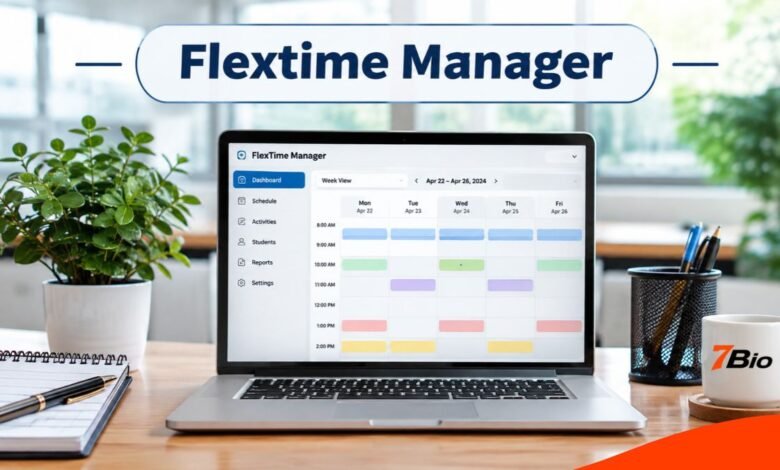
Flextime Manager refers to school scheduling software that helps educational institutions organize flexible learning periods, student activities, academic support sessions, and attendance. Instead of relying entirely on fixed timetables or manually prepared lists, schools can use digital scheduling tools to manage how students spend designated periods during the school day.
One important distinction: the original FlexTime Manager product is now known as Securly Flex, while Minga offers a separate scheduling solution under the FlexTime Manager name.
These platforms address similar educational challenges, but they are not interchangeable.
For students, the main purpose is to understand where they need to go and which activities they can choose. For teachers, the technology supports session planning, targeted learning assistance, and attendance management. School administrators gain a more organized way to coordinate activities involving different staff members, classrooms, and student groups.
This guide explains how these systems work, their practical benefits, the differences between providers, and the limitations schools should consider.
What Is Flextime Manager?
Flextime Manager refers to digital systems used to organize flexible activity periods within a school timetable.
A flex period is a scheduled block of time during which students may attend activities outside their usual lessons. Depending on the school’s arrangements, these activities can include academic intervention, examination preparation, enrichment, tutoring, advisory meetings, or supervised independent work.
Unlike a conventional timetable, where an entire class normally follows the same planned sequence, a flexible period can accommodate different learning activities happening at the same time.
For example, one student might attend additional mathematics support, another could join a science project, and a third might participate in a reading program.
Teachers and administrators coordinate these sessions through a centralized scheduling system.
Why the Product Name Can Be Confusing
The original Flextime Manager was developed by Eduspire Solutions and subsequently became associated with Securly. Its current branding is Securly Flex.
Minga also markets a product called FlexTime Manager as part of its wider school management platform.
Although their names and educational purposes overlap, they have different interfaces, administrative settings, integrations, and commercial arrangements.
Students should therefore follow their school’s specific instructions rather than assume that any website or app using a similar name belongs to their institution.
Securly Flex vs Minga FlexTime Manager
Both products support flexible school scheduling, but they approach the task through their respective software environments.
| Aspect | Securly Flex | Minga FlexTime |
|---|---|---|
| Product identity | Formerly FlexTime Manager | Minga’s own flex scheduling module |
| Main purpose | Flexible school-period scheduling | Scheduling intervention and enrichment activities |
| Student choice | Supports registration for eligible sessions | Supports student self-registration |
| Teacher assignments | Supports required and priority activities | Supports assigned and registered activities |
| Attendance | Attendance recording and reporting | Check-ins and attendance monitoring |
| Administration | Flex scheduling and roster management | Part of Minga’s broader school management system |
| Access | School-configured Securly login | School-configured Minga access |
| Pricing | Contact provider for current school terms | Basic, Plus and Premium options with quotations |
The practical lesson is straightforward: features advertised for one platform should not automatically be attributed to the other.
A school already using Securly services may evaluate Flex within that environment, while an institution considering integrated campus management may also examine Minga’s wider capabilities.
Neither product should be selected solely because it has a familiar name.
How Flextime Manager Works in Schools
Flextime Manager supports a structured process in which schools define available time, offer activities, place students into appropriate sessions, and record attendance.
The exact interface differs between providers, but the core scheduling process generally follows these stages.
1. Establish Flexible Learning Periods
School administrators first determine when flexible sessions will take place.
A school might create one session every day or allocate specific periods during the week.
Administrators must consider the existing timetable, classroom availability, staff responsibilities, and how students will move between activities.
In Securly Flex, administrators can configure the relevant days, times, and registration cut-offs. Minga provides tools to create and manage school-wide flex periods.
2. Create Learning Activities
Teachers or authorized staff members set up activities that students can attend.
Each activity typically requires practical information such as a session name, supervising teacher, location, date, and maximum number of participants.
A school might offer an English writing workshop, mathematics revision, a robotics activity or a supervised study group.
The aim is to make the available choices clear while ensuring there are sufficient spaces and staff to supervise participation.
3. Assign Students Requiring Support
Not every flex session is optional.
A teacher might need a particular student to attend a compulsory academic intervention, assessment preparation activity, or catch-up session.
Both Securly and Minga support teacher-directed placements, although their assignment rules are implemented differently.
This distinction matters because student choice does not necessarily override a required educational session.
Schools should explain these rules clearly so that students understand why a particular activity appears on their timetable.
4. Allow Eligible Students to Register
Students who have permission to choose can browse available activities and select appropriate sessions.
Available choices may depend on grade level, activity eligibility, staffing, capacity, and administrative restrictions.
A registration is not simply an expression of interest. It establishes where a student is expected to attend during that period.
Schools should ensure students understand when registration opens and whether they can change their selections.
5. Resolve Unassigned Students
An effective flexible timetable needs to account for students who have not selected an activity.
Securly Flex offers an Autoassign function that places unregistered students into eligible sessions according to scheduling rules and available capacity.
Minga also offers automatic assignment functionality within its Plus feature set.
Schools should confirm how their chosen platform handles unregistered students, competing priorities and exceptional circumstances before relying on automation.
6. Record Attendance
Attendance recording allows staff to compare planned participation with actual attendance.
Depending on the platform and configuration, this may involve teacher-recorded attendance, digital check-ins or other supported methods.
Administrators can use attendance records to identify missing entries, review participation, and evaluate whether the scheduling process is functioning as intended.
However, attendance information alone cannot prove that a student has learned a concept or benefited academically from a particular activity.
How Students Can Use Flextime Manager
For students, the most important tasks are accessing the correct system, understanding assigned sessions, and registering before the applicable deadline.
Accessing the Correct Login
Students should begin with the website, school portal, or app provided by their institution.
Those using Securly Flex may encounter a school-configured login that supports an appropriate sign-in method. Securly’s official documentation also describes access through services such as Clever and ClassLink where a school has enabled them.
Minga users should access the institution’s Minga environment and follow the school’s instructions.
Students should not assume that they can create an independent account without school involvement.
Finding Available Activities
After signing in, students should locate the relevant timetable or flex scheduling section.
Securly Flex provides a My Schedule view that displays the student’s activity periods and scheduled sessions.
In Minga, the student registration process uses the FlexTime area in My Tools, depending on the school’s configuration.
Students should examine the session title, date, available options, and any compulsory placement before attempting to register.
Registering for an Activity
Where student choice is permitted, the next step is to select an available session and confirm registration.
In Securly Flex, students can use the Join Activity option for eligible activities.
In Minga, students may select an available period, review eligible activities, and use the Register function.
After selecting a session, students should verify that it appears in their timetable.
A session that has reached capacity, requires permission, or conflicts with a compulsory assignment may not be available.
Understanding Registration Deadlines
Schools can restrict when students may change their selections.
Securly Flex uses administrator-defined cut-off times. Once the cut-off has passed, students generally cannot make ordinary changes themselves, although authorized teachers retain certain scheduling functions.
Minga also provides configuration options that determine whether students can switch between eligible activities.
The sensible approach is to check the timetable before the deadline rather than assume changes will remain possible throughout the day.
How Teachers Manage Flexible Learning Activities
Flextime Manager can reduce some of the administrative work involved in organizing flexible sessions, but teachers remain responsible for appropriate planning, supervision and accurate attendance records.
Teachers need to decide which activities to offer, how many students can participate, and which students need additional support.
For example, a teacher running an examination revision session may need to reserve places for students who have missed essential material.
Another teacher might offer an optional enrichment activity for students interested in exploring a subject beyond the normal curriculum.
The software provides the scheduling structure; educators determine the instructional purpose.
Managing Session Capacity
Classroom and staffing limitations affect how many students can attend an activity.
If a workshop has space for only a small group, the scheduling system should reflect that limit.
Incorrect capacity settings can create overcrowding or prevent eligible students from joining an otherwise available session.
Responding to Last-Minute Changes
School schedules occasionally change because of staff absence, assessments, room availability, or unexpected student needs.
Securly Flex provides a Plus Add function that lets teachers add eligible students to scheduled activities, including when normal student registration has closed.
Minga provides staff assignment and registration controls, but its specific permissions and restrictions differ.
Staff should follow established school procedures when making changes that affect student supervision or attendance.
Practical Example: A Flexible School Period
Consider a hypothetical secondary school introducing a 25-minute flexible learning period.
The school offers mathematics revision, guided reading, science enrichment and supervised study.
Students who require mathematics intervention are assigned to that session. Other eligible students can choose between the remaining activities, subject to capacity.
A student interested in science selects the enrichment session. Another chooses guided reading.
Before the period begins, staff review the rosters and resolve any students without an appropriate placement.
During the session, teachers record attendance.
This is an illustrative example, not a documented deployment or measured outcome. It demonstrates how flexible scheduling can combine academic priorities with student choice without removing the school’s responsibility for supervision.
Benefits of Flexible School Scheduling
The potential benefits of Flextime Manager come from better organization and more deliberate use of available teaching time, rather than the software itself guaranteeing improved attainment.
More Targeted Learning Support
Schools can set aside designated periods for academic assistance without requiring students to attend after-school sessions.
This creates opportunities for teachers to identify specific learning needs and organize suitable support.
Greater Student Choice
Eligible students can select activities aligned with their interests or educational goals.
This may help schools provide a broader learning experience within the existing timetable.
However, the value of student choice depends on the quality of the activities, their accessibility and the school’s approach to compulsory support.
Better Scheduling Visibility
A shared scheduling platform gives authorized staff a clearer view of planned activities, assigned students, and available spaces.
It may also reduce reliance on separate spreadsheets and informal messages.
More Consistent Attendance Records
Digital attendance tools can help schools identify which students attended scheduled sessions and where follow-up is necessary.
The usefulness of these records depends on staff completing them accurately and administrators responding appropriately.
Limitations and Challenges Schools Should Understand
No Flextime Manager system removes the need for sound educational planning.
A technically successful registration process does not guarantee that the resulting activities meet students’ learning needs.
Schools may encounter several practical challenges.
Dependence on Accurate Information
Outdated student rosters, incorrect room capacities, or incomplete staff assignments can create scheduling problems.
Integration with a student information system may reduce manual work, but data quality still requires attention.
Technology and Accessibility
Students need a reliable way to view and manage their schedules.
Schools should provide suitable arrangements for students without personal smartphones, those experiencing connection problems, and those requiring accessible interfaces.
A mobile app should not be treated as the only acceptable route to an essential school activity.
Staff Training
Administrators, teachers and students must understand the distinction between optional and compulsory placements.
Unclear instructions can lead to incorrect registrations, missed sessions, or uncertainty about attendance responsibilities.
Student Information and Privacy
Scheduling platforms may process information about students, their educational activities and attendance.
For UK schools, procurement and implementation should include an appropriate assessment of data protection responsibilities under applicable law.
The Information Commissioner’s Office provides guidance on educational technology and children’s personal information.
Schools should examine the provider’s contractual arrangements, access controls, information-sharing practices, retention periods, and relevant safeguards.
A vendor’s general security statements should not be treated as proof that a particular deployment automatically satisfies every legal requirement.
Common Login and Scheduling Problems
Students and staff may occasionally experience difficulty accessing the platform or finding the expected activity.
| Problem | What to Check |
|---|---|
| Login does not work | Confirm the correct school portal and authorised sign-in method |
| No activities appear | Check the selected date, eligibility and whether registration is open |
| Cannot change a session | Look for compulsory assignments or registration cut-offs |
| Preferred activity is unavailable | Check capacity or restrictions with the supervising teacher |
| Schedule looks incorrect | Ask school staff to verify the current assignment |
| Attendance is missing | Contact the responsible teacher or administrator |
Repeated login attempts will not resolve every problem, especially when the issue involves school permissions or account provisioning.
Students should use official school support channels rather than entering their credentials into unfamiliar websites claiming to offer a quick login solution.
What Should Schools Consider Before Choosing a Platform?
A school considering Flextime Manager should begin with its educational and operational requirements.
The choice should reflect whether the institution primarily needs a flexible scheduling system or wants additional campus management functions.
Educational Requirements
School leaders should clarify the purpose of flex periods.
Are they intended for academic intervention, enrichment, advisory activities, examination preparation, or a mixture of these?
The answer determines which scheduling and attendance capabilities matter most.
Integration and Administration
Schools should check whether the product works well with their existing student information system and identity-management arrangements.
They should also assess how easily staff can configure activities, manage priorities and resolve scheduling conflicts.
Pricing and Contract Terms
No single verified public price applies to every school.
Minga currently advertises Basic, Plus and Premium options, with pricing available through the provider. Advanced functionality varies by plan.
Securly provides commercial information through its school sales process.
A free app download does not mean the associated institutional software is free to implement or operate.
Schools should request current written quotations and confirm any implementation, support, integration, and renewal terms.
Evaluation Before Adoption
A useful demonstration should show how the product handles an ordinary school day, not just ideal conditions.
Administrators should examine situations involving compulsory sessions, students who forget to register, staff absence, room-capacity changes and incomplete attendance.
The strongest purchasing decision is the one supported by an accurate assessment of school requirements, contractual terms, and the platform’s demonstrated capabilities.
FAQs
1. Is Flextime Manager free for students?
Students normally access their school’s configured system rather than purchasing an individual scheduling subscription. The Securly Flex mobile app is listed as a free download, but institutional software costs and contracts are separate matters.
2. Can students access their schedules without a smartphone?
Securly Flex supports browser-based access on internet-connected devices. Minga also offers web-based functionality. Students should use an authorized school device or ask staff about alternatives when personal mobile access is unavailable.
3. Can students change a compulsory activity?
Not ordinarily through normal student self-registration controls. Both Securly and Minga distinguish compulsory placements from optional choices. Any permitted changes must follow the platform’s rules and the school’s procedures.
4. Does the software replace a school’s regular timetable?
No. Flexible scheduling systems manage designated activity periods and associated student placements. They are not necessarily replacements for the institution’s entire timetable or student information system.
5. Can parents use the platform?
Parent-facing communication and access depend on the provider, features, and school configuration. Families should confirm the arrangements with their school rather than assume that a student login provides a separate parent account.
6. Is the system suitable for UK schools?
The underlying concept can be relevant to UK secondary schools, particularly where timetables include intervention, enrichment or pastoral activities. However, schools should verify suitability, local support, data protection arrangements and integration requirements before adoption.
Final Takeaway
Flextime Manager represents a practical approach to organizing the parts of the school day that require more flexibility than a conventional class timetable.
Securly Flex and Minga both provide ways to coordinate student activities, support teacher-directed placements and maintain attendance records, although their implementations differ.
For students, success begins with accessing the correct school system and checking assigned activities. For teachers, it depends on purposeful session planning and reliable attendance management. For school leaders, it requires careful configuration, appropriate safeguards, and a clear understanding of the platform’s capabilities.
The most useful outcome is not simply a digital timetable. It is a better-organized process for ensuring that students receive appropriate support and can participate in meaningful learning activities.