
rit sis: The Essential Guide to Easy Student Login, Course Registration and Academic Records
Learn how Rochester Institute of Technology's Student Information System helps students organize their academic responsibilities, access important records, and manage university registration.

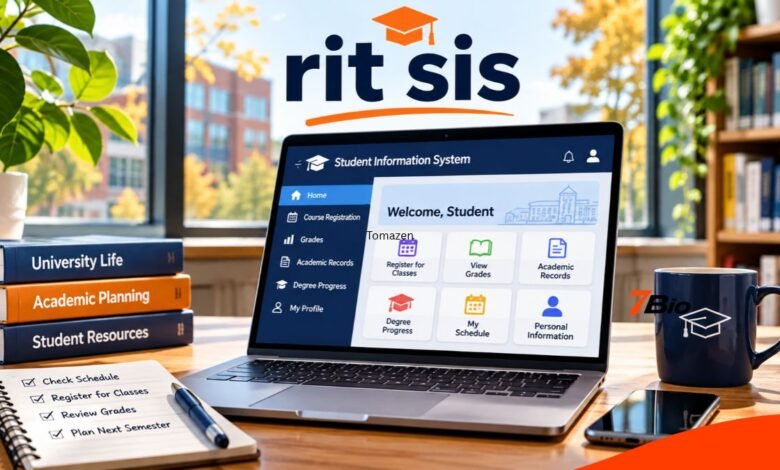
The rit sis platform is the official Student Information System used by Rochester Institute of Technology (RIT), a university in New York, United States. It provides students with access to essential academic services, including course registration, class schedules, grades, transcripts, and degree progress information.
For students managing several classes, registration deadlines, and academic requirements, having these services in one place makes university administration more manageable.
However, first-time users may find the portal’s different sections confusing. Understanding the difference between academic records, enrolment tools, and related university services can prevent unnecessary mistakes.
This guide explains what RIT SIS is, how to access it, which features matter most, and what to do when you encounter common problems.
What Is rit sis?
RIT SIS stands for Rochester Institute of Technology Student Information System. It is a secure online university platform that helps students manage administrative and academic information.
Unlike a typical online learning platform, SIS primarily focuses on official university records and enrolment activities.
Students can use it to review their academic history, find courses, check registration appointments, and monitor their progress towards graduation.
The system also provides relevant information for academic advisers and university staff through access appropriate to their responsibilities.
Who Can Use the System?
The main users are RIT students who have an authorized university computer account.
Academic advisers and faculty members also use parts of the Student Information System to carry out university-related duties.
Prospective students and other visitors can access certain public class-search resources without signing in, although personal academic records require authorized access.
How to Access the RIT SIS Login Portal
Students should enter the system through Rochester Institute of Technology’s official InfoCenter.
Step-by-Step Login Instructions
- Open the official Rochester Institute of Technology website.
- Navigate to the university’s Student Information System or InfoCenter page.
- Select the option labeled Student Info System.
- Enter your official RIT username and password.
- Complete the required Duo multi-factor authentication.
- Once authenticated, open the relevant section of the Student Homepage.
RIT’s official InfoCenter is available at rit.edu/infocenter.
The dashboard may change as university services are updated.
What Do Students Need Before Logging In?
Students need an active RIT computer account and the required authentication arrangements.
New students should follow the university’s account activation instructions before accessing restricted services.
For security, always check that the login page belongs to an official RIT domain before entering personal information.
Main Features of the RIT Student Information System
The platform provides several functions that students use throughout their university studies.
| Feature | What It Helps Students Do |
|---|---|
| Class Search | Find available courses and sections |
| Enrollment Appointments | Check assigned registration periods |
| Academic Records | Review grades, GPA and course history |
| Transcripts | View unofficial records or request official documents |
| Academic Requirements | Review progress towards programme requirements |
| Account Holds | Identify restrictions affecting university activities |
| Personal Information | Maintain relevant contact details |
| Academic Advisers | Identify assigned university advisers |
Understanding these functions can save time when preparing for a new semester.
How to Register for Classes Using RIT SIS
Course registration is one of the portal’s most important functions.
Students should begin preparing before their assigned enrolment appointment rather than waiting until registration opens.
Step 1: Review Your Academic Requirements
Before selecting courses, check your academic program requirements and any advice provided by your academic adviser.
The Academic Advisement Report can help students understand how completed coursework relates to degree requirements.
Step 2: Check Registration Dates and Holds
Open the Enroll & Search section to identify your enrolment appointment.
Students should also examine the Tasks or Holds area for restrictions that could prevent registration.
Some holds require action from a particular university department and may not be resolved immediately.
Step 3: Search for Available Classes
Use the Class Search and Enroll feature to explore relevant course options.
Review course details carefully, including available sections, prerequisites, scheduling, and seat availability.
Step 4: Add Courses to Your Shopping Cart
The shopping cart lets students prepare their selections before submitting them for enrolment.
Adding a class to the shopping cart does not mean the student is registered.
Students must complete the actual enrolment process when their assigned registration period permits it.
Step 5: Confirm Your Enrolment
After submitting course selections, check for confirmation or error messages.
Review the official class schedule to ensure that the intended courses have been successfully registered.
If a problem appears, contact the appropriate academic adviser or university support service.
How to Check Grades and Academic Records
Students can review important academic information through the Academic Records section.
Viewing Final Grades
Once grades are officially posted, students can use the View Grades feature to review their results.
The system also provides access to GPA and course history information.
Grades that have not yet been posted may not appear immediately.
Accessing Transcripts
RIT SIS allows students to view unofficial transcripts and access the university’s official transcript request process.
An unofficial transcript may help with personal academic planning, while employers or other educational institutions may require official documents.
Students should follow the Registrar’s current instructions when ordering transcripts.
Understanding Academic Progress
The Academic Advisement Report, commonly called the AAR, helps students review progress against their program requirements.
It can be useful when preparing to meet an adviser or selecting future courses.
However, students should confirm important graduation decisions with their academic adviser rather than relying on their own interpretation of a report.
RIT SIS vs myCourses, Tiger Center and eServices
Several RIT services support student life, but they do not all perform the same function.
| Platform | Main Purpose |
|---|---|
| RIT SIS | Official academic records, registration and student information |
| myCourses | Course learning materials and learning activities |
| Tiger Center | Class searches, academic information and convenient schedule tools |
| eServices | Student financial information and related administrative services |
| Starfish | Academic support connections and adviser appointments |
For example, a student seeking an official final grade would normally use SIS, while someone looking for course materials would use myCourses.
Tiger Center offers additional tools for finding classes and viewing schedules, but it should not be mistaken for a replacement for official SIS registration.
Similarly, financial aid information and student account services are accessed through eServices.
Recognizing these differences helps students choose the appropriate university platform.
Common RIT SIS Problems and How to Resolve Them
Although the platform is designed to provide regular access, users may occasionally encounter difficulties.
Login Problems
An unsuccessful login may involve incorrect account credentials, an inactive account, or problems completing authentication.
Check your username, follow the university’s account recovery procedures, and ensure that your authentication method is working.
Avoid repeatedly entering credentials into unfamiliar websites.
Registration Restrictions
If the system prevents registration, review your assigned enrolment appointment and account holds.
Other possible explanations include prerequisites, unavailable seats, or restrictions on a particular course.
An academic adviser or the responsible university office can explain which action is required.
Slow Loading or Temporary Unavailability
RIT states that SIS is normally available around the clock, except during planned maintenance.
The university also explains that performance may temporarily slow following certain system updates.
If the portal is unavailable, check official university notices before assuming that your account has a problem.
Missing Academic Information
If a grade, transcript detail, or transfer credit appears to be missing, confirm whether the information has been officially processed.
For matters affecting academic records, contact the relevant university office rather than assume the cause.
RIT’s Service Center can also assist with technical problems.
Practical Tips for Using the Student Portal Effectively
Students can reduce administrative difficulties by developing a few straightforward habits.
First, check enrolment appointments well before registration begins. This provides time to review available courses and address account holds.
Second, consult your academic adviser before making decisions that could affect degree completion.
Third, verify your registered classes after making changes. A submitted request or saved shopping cart is not necessarily proof of successful enrolment.
Fourth, keep your university contact details accurate and regularly review official university announcements.
Finally, protect your login credentials. Use recognized RIT services, complete authentication securely, and sign out of shared devices after accessing personal records.
These habits are especially valuable during registration periods, when delays or mistakes may affect course availability.
FAQs
1. What does RIT SIS stand for?
RIT SIS stands for Rochester Institute of Technology Student Information System. It is the university’s official platform for academic records, course registration, and related student administration.
2. Can students access RIT SIS from home?
Yes. Authorized students can access the online system using their university account and the required authentication, provided the service is available.
3. Is the Student Information System available 24 hours a day?
RIT states that SIS is normally available 24 hours a day, seven days a week, except during planned maintenance or unexpected interruptions.
4. Can I see my GPA and transcripts through SIS?
Yes. Students can view GPA information and unofficial transcripts and use the university’s process to request official transcripts.
5. Why can’t I register for a course?
Possible causes include an enrolment appointment that has not started, an account hold, unmet prerequisites, or limited course availability. Review the message shown by SIS and seek university guidance if necessary.
6. Is Tiger Center the same as RIT SIS?
No. Tiger Center provides convenient class-search and academic-information tools, while SIS serves as the university’s official student records and registration system.
Final Takeaway
The rit sis platform plays an important role in helping Rochester Institute of Technology students manage their academic responsibilities.
By understanding its registration tools, academic records, transcript services, and account information, students can make better-informed decisions throughout their studies.
The most useful approach is to check registration requirements early, verify completed enrolment actions, and consult official university guidance whenever an issue cannot be resolved.
For both new and continuing students, familiarity with the Student Information System can make routine university administration simpler and more reliable.