Classroom Center: A Complete Guide to Free Browser Games, Features and Online Safety
Explore how Classroom Center works, the games available, Chromebook compatibility, and practical advice for enjoying browser-based gaming responsibly.

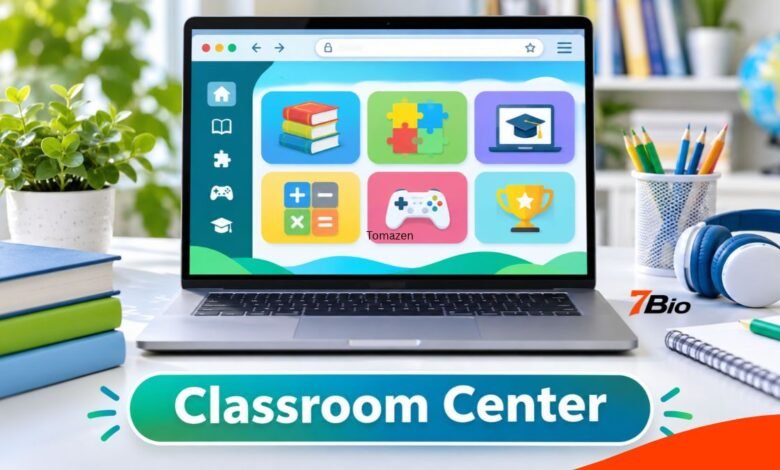
Classroom Center refers to online gaming websites that let visitors explore and play games directly in a web browser. Rather than requiring a separate game installation, these websites bring together different types of entertainment, including racing challenges, puzzles, sports games, platform adventures, and multiplayer experiences.
The name has attracted attention among students and casual players looking for straightforward gaming options on laptops, desktop computers and Chromebooks. However, websites with similar names don’t necessarily offer identical games, features, or privacy protections.
Understanding how Classroom Center works is particularly useful for anyone searching for free browser games, checking device compatibility, or deciding whether a gaming website is appropriate for younger users.
This guide examines its main features, game categories, accessibility, limitations, and online safety considerations.
What Is Classroom Center?
Classroom Center is commonly associated with a collection of browser-based games presented through an organized gaming website. One publicly accessible version uses the classroom-center.github.io address and provides navigation for different gaming categories.
The purpose is entertainment rather than formal education. Players can browse available titles, choose a game, and attempt to launch it within their browser.
Unlike traditional computer games that require installation, many browser games use web technologies such as HTML5 and JavaScript.
This approach can make casual gaming convenient, although individual games may still require particular browser capabilities or a stable internet connection.
Is Classroom Center an Educational Platform?
Despite the educational-sounding name, Classroom Center should not be confused with Google Classroom or a school’s official learning system.
It does not primarily provide lesson management, coursework submission, student assessment, or teacher communication tools.
Its focus is recreational gaming. While some puzzle and strategy games may involve reasoning or problem-solving, that does not make the entire website an accredited educational resource.
How Does Classroom Center Work?
The basic idea is to make different games accessible through one browsing interface.
A visitor opens the gaming website, explores the available categories, and chooses a title. The selected game may then load within its own page or an embedded browser frame.
Main Features
Category-based navigation: Games are arranged into recognizable groups, helping visitors find particular types of entertainment.
Built-in search: The GitHub-hosted website includes a search function to find games and categories.
Browser-based access: Many listed titles are designed to run in a web browser instead of requiring traditional software installation.
Different gameplay styles: The catalog includes short arcade challenges, driving games, sports titles, puzzles, and multiplayer options.
Chromebook compatibility: Certain browser games may work on Chromebooks, depending on the hardware, browser configuration, and network permissions.
These features describe the general browsing experience, not a guarantee that every game will load successfully on every device.
Popular Game Categories on Classroom Center
The gaming catalog contains several types of entertainment suited to different interests.
Racing and Driving Games
Driving games focus on steering, controlling speed, and navigating obstacles.
The website lists titles including Drift Hunters, Drive Mad, and Madalin Stunt Cars 2.
Some games concentrate on vehicle handling, while others use exaggerated physics or short obstacle-based challenges.
Players who prefer quick reactions and repeated attempts may find these categories appealing.
Puzzle and Logic Games
Puzzle games generally involve recognizing patterns, planning moves, or understanding simple rules.
Examples displayed in the catalog include 2048, Block Blast, and Suika Game.
These games offer an alternative to fast-moving action titles. However, difficulty and suitability vary by game.
Sports Games
Sports games recreate simplified versions of familiar activities such as basketball, football, and golf.
Basketball Stars, Football Legends and Retro Bowl are among the titles listed on the gaming website.
Some focus on direct competition, while others involve decision-making and timing.
Adventure and Platform Games
Platform games challenge players to move through obstacles, perform jumps and reach objectives.
Games such as OvO, Dreadhead Parkour and Stickman Boost appear in the site’s catalog.
These titles often reward timing, coordination and learning through repeated attempts.
Multiplayer and .io Games
Multiplayer games introduce competition or interaction with other players.
Classroom Center lists titles such as Agar.io, Paper.io 2 and Shell Shockers.
Online interaction may introduce additional considerations, including exposure to other players, competitive content, and any communication features included in a particular game.
Parents should assess these features before allowing younger children to play.
Choosing a Game That Suits Your Interests
| Game category | Main experience | Example listed title |
|---|---|---|
| Racing | Driving and obstacle navigation | Drive Mad |
| Puzzle | Logic and pattern recognition | 2048 |
| Sports | Sports-themed challenges | Basketball Stars |
| Platform | Jumping and movement challenges | OvO |
| Multiplayer | Competition with other players | Agar.io |
| Casual | Short, straightforward gameplay | Flappy Bird |
These examples reflect listings observed during research in November 2026. Games may be added, removed, or changed over time.
How to Get Started With Classroom Center
Getting started with the browser-based version is relatively straightforward.
Step 1: Identify the Website
Locate the specific Classroom Center website you intend to visit.
Several websites use related names, including Classroom Center G and Classroom Center G+. Don’t assume their content, ownership, and functionality are identical by default.
Step 2: Review the Homepage
Examine the available games, categories, and navigation options.
Check whether the website includes advertising, unusual requests for personal information, or unexpected prompts to install software.
Step 3: Select a Suitable Game
Choose a title that matches your interests, age, and available time.
For younger players, parents or teachers should assess the game’s content rather than relying entirely on the category label.
Step 4: Allow the Game to Load
Open the selected title and follow its on-screen instructions.
Keyboard controls are common in computer browser games, but some games may support mouse, touch, or other input methods.
Step 5: Play Responsibly
Keep gaming within appropriate time limits and respect the rules of the device and network you are using.
School-owned computers may have restrictions that differ from those on personal devices.
Does Classroom Center Work on Chromebooks?
Many browser-based games can run on compatible Chromebooks because ChromeOS supports modern web technologies.
Nevertheless, compatibility is not universal.
A simple puzzle game may run comfortably on modest hardware, while a more demanding multiplayer or 3D game may require more processing power.
Performance can also depend on the browser version, available memory, and internet connection.
Why Might Classroom Center Be Blocked at School?
Schools sometimes restrict access to gaming websites to maintain classroom focus, protect students, or manage network resources.
The phrase “unblocked games” is frequently used by gaming websites, but it does not mean that a particular site is accessible on every school network.
Network administrators can restrict domains, extensions, and browser features.
Students should follow their school’s technology policies rather than attempting to bypass those restrictions.
Is There a Classroom Center Chrome Extension?
A Chrome Web Store listing titled Classroom Center – Unblocked Games was available during research.
The listing describes an extension that opens a gaming interface, offers browsing and search options, and provides access to games.
According to the developer’s listing, the extension is designed to operate without collecting personal data. However, developer disclosures are not equivalent to an independent privacy or security audit.
Importantly, an extension isn’t required to use a browser-based games website.
Before installing any extension, users should examine its publisher, requested permissions, privacy information, and recent reviews. Managed school devices may also restrict installations.
Is Classroom Center Safe to Use?
No one can declare every website or game using this name completely safe.
Online safety depends on the specific domain, its operators, embedded content, advertising arrangements, security practices and privacy protections.
Privacy and Personal Information
Avoid entering sensitive personal information into unfamiliar gaming websites.
A casual browser game should not normally require your school password, home address, or payment details merely to begin playing.
If registration is requested, review the privacy policy and determine whether an account is genuinely necessary.
Advertisements and Downloads
Free gaming websites may contain advertisements or links to other services.
Be cautious of pop-ups asking you to install files, turn off security features, or provide financial information.
Use an updated browser and avoid opening suspicious attachments or downloads.
Age-Appropriate Content
A category labeled “Kids” does not automatically mean every listed game is appropriate for all children.
Parents should consider the game’s themes, online interaction, advertisements, and any chat functions.
A brief review of each game is more useful than assuming the entire website offers child-friendly content.
Classroom Center vs Google Classroom
These services have fundamentally different purposes.
| Feature | Classroom Center gaming websites | Google Classroom |
|---|---|---|
| Primary purpose | Online entertainment | Teaching and learning management |
| Main content | Browser games | Assignments and learning materials |
| Intended users | Casual players | Students and educators |
| Assessment tools | Not a core purpose | Supports grading and feedback |
| Online games | Main attraction | Not its primary purpose |
Anyone searching for homework instructions, school assignments, or teacher announcements should use their school’s designated educational platform.
Common Classroom Center Problems and Solutions
Games Do Not Load
A game may fail because of an interrupted internet connection, an unavailable game resource, or a browser compatibility problem.
Refreshing the page or trying another game can help identify whether the issue affects one title or the entire website.
Gameplay Is Slow
Close unnecessary browser tabs and check whether other applications are consuming system resources.
Some games are more demanding than the device can comfortably handle.
Controls Are Not Responding
Check the game’s instructions.
Some titles require keyboard input, while others use a mouse or touch controls. You may also need to click inside the game frame before the keyboard input is recognized.
The Website Is Restricted
A managed device or school network may deliberately prevent access.
In that situation, contact the appropriate administrator or choose an activity permitted by the organization.
Benefits and Limitations of Browser-Based Gaming
The main attraction of platforms such as Classroom Center is convenience. Visitors can discover different games without installing a separate desktop application for every title.
Short games may also provide an accessible form of leisure during suitable breaks.
However, convenience does not remove the limitations of online gaming.
Some titles require consistent internet access, certain games may be unsuitable for younger audiences, and embedded content may create privacy or security considerations.
The quality of the experience also varies between games. An organized catalog does not guarantee reliable gameplay, consistent accessibility, or educational value.
For responsible users, the most useful approach is to select suitable games, verify the website being visited and maintain sensible boundaries around screen time.
FAQs
1. What is Classroom Center used for?
Classroom Center is associated with websites that organize browser-based games into categories such as puzzles, racing, sports, adventure, and multiplayer entertainment.
2. Are Classroom Center games free?
The identified gaming websites advertise free browser games. However, availability and conditions may differ between individual titles and similarly named services.
3. Can I use Classroom Center without downloading an application?
Many games are accessible directly through a compatible web browser. You may not need a separate extension or application.
4. Is Classroom Center suitable for children?
Suitability depends on the particular game, website content, advertisements, and online interaction features. Parental review is advisable for younger players.
5. Why is Classroom Center not working on my Chromebook?
Possible causes include network restrictions, limited device resources, browser compatibility issues, or unavailable game files. Check the connection and device settings without bypassing organizational policies.
6. Are Classroom Center and Classroom Center G+ the same?
They are related names used by gaming websites, but their ownership, game libraries, and features should not be assumed to be identical without checking the specific services.
Final Takeaway
Classroom Center is best understood as a name associated with browser-based gaming rather than an official educational learning platform.
Its appeal lies in providing access to different games through a familiar web interface, with categories covering puzzles, racing, adventure, sports, and multiplayer entertainment.
The experience depends on the particular website, the game selected, device compatibility, and local network restrictions.
For anyone interested in trying Classroom Center, the sensible approach is to verify the website, choose appropriate games, protect personal information, and respect school or workplace technology policies.
Browser gaming can be convenient and entertaining, but informed choices remain essential for a positive experience.