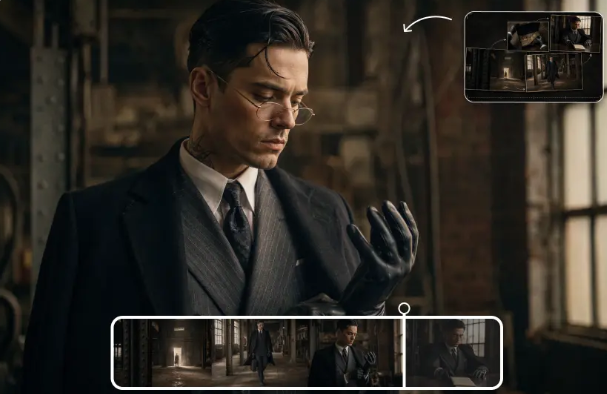
Creating an engaging video begins with an idea, but bringing that idea to the screen requires time and effort. Dreamina enables creatives to take advantage of AI for content generation and find new ways to bring their imagination to life. With Seedance 2.5 Flash and Seedance 2.5, users can try out different techniques for creating video content from creative prompts. Be it a short visual story, content for an online audience, or a truly imaginative scene, these models can be a fun entry point for digital creativity.
Experience What Seedance 2.5 Flash Has for You
Seedance 2.5 Flash can be exciting. Suppose you have a project for a commercial of short duration but are aware of a few options for the opening shot. You don’t have to settle on one idea initially. A fast workflow can help you test out various options. Seedance 2.5 Flash is also a good option for visual composites.
Discover the Standard Seedance 2.5 Experience
Seedance 2.5 is an option that can be selected if you want your project to be a little more intricately made. It is suitable for projects that are more detailed in visuals, have a certain ambiance, or have certain actions that have been planned out. Creators may want to put more time into setting up instructions or previewing the results that the model produces. The output will still be conditional on the model, platform configuration, and the input quality.
Two Separate Creative Goals
Here’s a simple way to think about it, based on the way people work. An author might have to come up with a few ideas for the video before they can settle on the best one. Another writer might have an idea in their head that they want to flesh out. Seedance 2.5 Flash is all about speed; Seedance 2.5 is its usual video creation alternative. Both have their use in the creative process, depending on the task and the output desired.

Start With an Idea Before Writing a Prompt
Think about what you’re trying to communicate before you get to the step of opening a video-generation tool. Are you trying to entertain, promote a product, educate, or show viewers a place you’re imagining? Your goal will streamline what you do in the next steps. For instance, if you want to promote your walk through an adventure, the video could start with a person packing a bag, then cut to the trip and destination. Planning the message first will help you avoid extraneous material slipping into the prompt.
Ensure All Scenes Are Visually Relevant
A video is more compelling if everything in it is meaningful. The close-up may have been required to bring attention to an object, while the wide shot shows the setting. Movement may be used to indicate actions, and light to set the atmosphere. When you give instructions, think about why there should be each visual, rather than sticking things in your prompt randomly.
Develop Real-life Everyday Environments
We have a vast array of scenarios we could all base a video around – imagine a student in the calm of a library, a family preparing their dinner, or a shopkeeper cleaning up the shelves before opening time. Everyone is familiar with these scenarios, and they can communicate a message without the need for a lot of talking – you can see how the subjects are moving, where they are, and what they’re doing.
Create Imaginative Worlds For Fun
AI will also be used to create magical worlds and stories. If an author wants to do a flying city in the clouds, an undersea world, or a train flying through space, AI will be there to help them create it without the need to get a cameraman to film that 5,000 miles away. You will simply have to specify where the scene is located and where the focus will be.
Design Targeted Promotional Videos
The public is also interested in content. As defined above, it is necessary in order for brands to help teach the audience about their brand and offering. Short promotional films can depict a service, promote a product, or even express the vibe of a brand, such as a furniture shop may create an interior and visual idea or a sports industry may create a scene that involves physical activity, Learn about Seedance 2.5 Flash and Seedance 2.5. (1)Make sure that all details of the product and brand (2)are accurate before using the generated content in promotion.
Final Thoughts
Seedance 2.5 offers two interfaces for creating AI videos. The Flash version is about speed. You may think about how the base version could be useful for a project that needs a little more methodical process. Both get you on the path for inspiration for marketing, entertainment, online content, and educational use. But that is only a tiny part of the equation. As we have seen in the previous example, the key is to have a concept and to give good prompt instructions. With time, trial and error, and your own editing, you will come up with videos that engagingly convey your idea.
FAQs
What is Seedance 2.5?
Seedance 2.5 is an AI video generation model that provides access to video content based on creative instructions with your supported inputs.
Should I go for Seedance 2.5 Flash or Seedance 2.5?
It’s not that one is automatically the “best” for all applications. Flash is all about fast creation, but the standard may be a good alternative for other video productions.