iGram: A Complete Guide to Instagram Reels, Photos, Stories and Safe Downloads
Understand how iGram works, what Instagram content it supports, how to save public media, and what to know about privacy, copyright, and online safety.

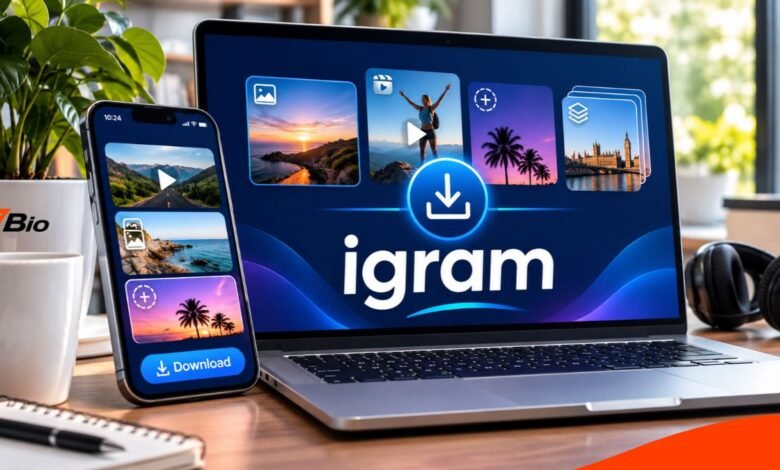
igram is a browser-based Instagram downloading tool that helps users save publicly accessible photos, videos, Reels, Stories, and other supported media to their devices. Instead of requiring users to install dedicated software, the service generally works by accepting an Instagram post link and providing available download options.
The name has become associated with several websites offering similar services, which makes identifying the correct platform especially important. Although these websites may share a name and purpose, they may not share the same ownership, features, privacy policies, or security standards.
For people who want to keep copies of their own creative work, understand Instagram downloading tools, or save content they have permission to use, knowing how these services operate can prevent confusion and unnecessary risks.
This guide explains the technology, supported content, practical download process, limitations and safer alternatives, with particular attention to privacy and copyright considerations relevant to UK readers.
What Is igram?
igram is commonly used as the name of an online Instagram media downloader. One established service using this name operates through igram—world, where the website describes itself as a tool for saving publicly available Instagram content.
Unlike Instagram’s built-in bookmarking feature, which saves posts within a user’s Instagram account, a third-party downloader aims to create a local media file that can be stored on a phone, tablet, or computer.
The difference is useful because bookmarking a Reel does not necessarily make it available offline. A downloaded MP4 file, by contrast, can normally be opened using compatible media software without repeatedly visiting the original Instagram page.
The service is independent of Instagram and its parent company, Meta. It should not be confused with an official Instagram product or an Instagram account management application.
Another essential distinction concerns public and private content. The igram. world service states that it works with publicly available material and does not provide access to private Instagram accounts.
How Does igram Work?
The basic process is link-based. Instagram assigns addresses to individual posts and Reels. When a user copies a supported public link into a downloader, the service attempts to locate media associated with that address and offer a downloadable file.
The exact processing method depends on the provider, and a third-party website’s internal operations cannot be fully determined from its public descriptions alone.
On igram. world, the advertised process does not require users to connect their Instagram accounts or supply Instagram passwords.
Once the requested media is available, the website may offer a file in a standard format such as MP4 for videos or JPG for photographs.
However, a downloader cannot guarantee access to every Instagram post. Deleted content, unavailable links, private accounts, and restrictions affecting media retrieval can prevent successful downloads.
Main Features of igram
Instagram Reels Downloader
Instagram Reels are short-form videos created for entertainment, education, promotion, and personal expression. They can contain spoken audio, music, captions, and visual effects.
The Reel downloading feature is intended to create a local copy of an accessible video. On the igram.world service, supported Reels are offered in MP4 format.
This may be useful for creators archiving their own published videos or individuals saving material with the owner’s permission.
The downloaded file quality depends on the available source and the service’s download options. Users should not assume that every Reel is available in Full HD or 4K.
Instagram Photo Downloader
The photo downloading feature supports publicly accessible Instagram image posts.
Users provide the relevant post address, and the website attempts to retrieve a downloadable image. The service describes JPG as its principal photograph format.
This can help you recover a copy of your own published image, although an original file on your device or in cloud storage is often preferable.
Downloading an image does not transfer ownership or grant permission to republish it.
Instagram Stories Saver
Instagram Stories are generally temporary posts that remain visible for approximately 24 hours unless preserved through Instagram’s other features.
A Story downloader attempts to retrieve supported, currently accessible Story media from a public account.
Availability depends on whether the Story remains accessible and whether the service supports its particular format.
A public Story that has expired or been deleted may no longer be retrievable. A third-party downloader should not be treated as a guaranteed archive of historical Instagram activity.
Carousel Post Downloads
Instagram carousel posts allow several photographs or videos to appear within one publication.
The iGram service advertises support for carousel downloads, meaning that individual images and videos within a supported public post may be available as separate files.
This differs from downloading a single Reel because the content may contain multiple media types and require several individual downloads.
Highlights and Profile Pictures
The igram. world website also describes tools for saving publicly accessible Highlights and profile pictures.
Highlights are collections of Stories that account owners choose to retain on their Instagram profiles.
Whether you can download a particular Highlight or profile picture depends on its accessibility and the downloader’s current functionality.
How to Use igram to Download Instagram Content
The general downloading process involves a few straightforward actions.
Step 1: Find the Instagram Content
Open Instagram in its official app or on its website.
Navigate to the Reel, photograph, video, or other supported public content you want to save.
Before proceeding, establish whether you own the material, have permission to download it, or have another lawful basis for your intended use.
Step 2: Copy the Content Link
Use Instagram’s sharing options to find the link-copying function.
The exact location of this option can vary depending on the device, app version, and post type.
Copy the address associated with the selected content rather than the general Instagram homepage.
Step 3: Open the Downloader
Open the relevant iGram website in a modern browser.
Because multiple websites use similar names, check the domain carefully and don’t assume every search result belongs to the same operator.
This article covers igram.world.
Step 4: Paste the Instagram Link
Locate the website’s input field and paste the copied Instagram address.
Select the relevant download or processing control.
The website will attempt to retrieve available media associated with that link.
If the post is private, deleted, or otherwise inaccessible, processing may fail.
Step 5: Download and Locate the File
If the service returns a valid download option, select the appropriate media file.
Depending on the device and browser, it may be saved in a Downloads folder, a file-management application, or another chosen location.
Check that the file opens correctly before deleting any other copies.
Avoid downloading unrelated applications or executable files advertised through unexpected pop-ups.
What Content Can igram Download?
The capabilities advertised by igram. world can be summarised as follows.
| Content Type | Typical File Format | Important Limitation |
|---|---|---|
| Instagram Reels | MP4 | Publicly accessible content only |
| Video posts | MP4 | Source availability affects downloads |
| Photos | JPG | Available resolution may vary |
| Carousels | JPG and MP4 | Individual media files may need saving |
| Stories | JPG or MP4 | Expired or removed Stories may be unavailable |
| Highlights | JPG or MP4 | Accessibility and support can vary |
| Profile pictures | JPG | Private profile access is not supported |
These are advertised capabilities, not guarantees that every Instagram URL will work.
Is igram Free to Use?
The igram. world website advertises a free downloading service alongside optional paid features.
According to its published information in November 2026, the free version provides standard-quality downloads, while Premium includes additional options such as HD, up to 4K, and MP3 downloads.
A higher-resolution option does not mean that every original Instagram upload contains that level of detail.
Other websites using the iGram name may have entirely different pricing structures, limits, or features.
Users should check current terms before purchasing anything and avoid assuming that services with similar branding provide identical products.
Is igram Safe?
The safety of igram depends on the website, its data-handling practices, and what users do while visiting it.
A website that doesn’t require an Instagram password avoids one major credential-sharing risk. However, not requiring a login does not automatically mean a service is completely secure.
The igram. World Privacy Policy describes the use of cookies and certain usage information. It also discusses advertising-related technologies.
This means that claims such as “no login required” should not be interpreted as “no information is collected”.
Several precautions can reduce avoidable risks.
Check the Website Address
Different services use similar iGram names.
A familiar name, professional appearance, or search-engine position doesn’t prove a website is trustworthy.
Check the complete address and review the website’s privacy policy before using it.
Never Share Your Instagram Password
A public-content downloader should not need your Instagram login credentials.
Avoid websites that unexpectedly request your password, one-time security codes, or access to unrelated personal information.
If you have already shared sensitive account credentials with an unfamiliar service, change your password through Instagram’s official security settings and review active sessions.
Avoid Suspicious Downloads
A legitimate media download should not ordinarily require an unrelated browser extension or unknown executable application.
Unexpected installation requests, misleading buttons, and aggressive redirects are reasons to leave a website.
Understand Privacy Limitations
Public visibility does not mean someone has waived their privacy interests or granted unlimited rights to their media.
Do not use a downloader to harass people, redistribute sensitive material, or attempt to bypass private-account restrictions.
Is Using igram Legal in the UK?
The legality of downloading Instagram material depends on the circumstances, the content, and the intended use.
Under UK copyright law, photographs, videos, music and other original creative works are generally protected. Copyright owners usually control activities such as copying and distributing their work, subject to applicable exceptions.
A publicly visible Instagram post is not automatically free to copy, edit, republish or exploit commercially.
Downloading your own content is generally different from taking another creator’s work and placing it on a commercial website.
Limited copyright exceptions may apply to certain uses, but they depend on the circumstances and should not be assumed to cover every personal or non-commercial download.
Attribution alone does not automatically replace the need for permission.
For publishers, marketers, and content creators, the safest approach is to use original material, obtain appropriate licenses, or secure the rights holder’s authorization.
Why Is igram Not Working?
Problems can occur even when a user follows the correct steps.
The Instagram Account Is Private
Most public-link downloaders cannot retrieve content restricted to approved followers.
Following a private account yourself doesn’t mean an independent downloading website can access it.
Ask the creator to provide an authorized copy instead.
The Link Is Incorrect
An incomplete or incorrectly copied address may prevent the service from recognizing the post.
Open the original Instagram content and copy its link again.
The Content Has Been Removed
Deleted posts and expired Stories may no longer be available.
A downloader cannot reliably restore content that Instagram no longer makes accessible.
The Download Button Does Not Respond
Browser settings, network restrictions, website errors, or changes to Instagram’s systems may interfere with downloading.
Try a current browser, check whether the original post remains accessible, and avoid repeatedly clicking suspicious advertisements.
The File Cannot Be Opened.
Occasionally, a download may be incomplete or incompatible with a particular media application.
Check the file type and size, then try opening it with compatible software. Do not rename an unsafe or unfamiliar file merely to make it appear to be a video.
iGram vs Instagram’s Official Download Options
A third-party downloader and Instagram’s own data-management features serve different purposes.
| Feature | iGram-Style Downloader | Instagram Official Tools |
|---|---|---|
| Main purpose | Save supported public media through a link | Save or export your own account information |
| Instagram login | Not required by the described service | Required to manage your account |
| Private account content | Not supported | Your own available account data |
| Data export | Individual supported media | Broader account-information export |
| Provider | Independent third party | Meta |
| Main consideration | Provider trust and content permissions | Account access and official export settings |
For someone wanting a comprehensive backup of their own Instagram activity, Meta’s official export feature is usually more suitable.
Instagram provides information download controls through Accounts Center. The available settings may include choices about what information to export, although interface labels can change.
Third-party services should not replace official account-management tools.
FAQs
Does igram require an Instagram account?
The igram. world service states that an Instagram account is not required for its public-link downloading process. Other similarly named websites may operate differently.
Can igram download private Instagram videos?
The service discussed here does not support downloading content from private Instagram accounts. Users should obtain files directly from an authorized source rather than attempting to bypass privacy restrictions.
Can I use igram on an iPhone?
The browser-based service is advertised as compatible with iPhones, including access through a mobile web browser. Download locations depend on the browser and device settings.
Does igram offer 4K video downloads?
The igram. world website advertises an optional Premium feature offering downloads up to 4K. Actual quality is limited by the available source material, so 4K output isn’t guaranteed for every video.
Can I repost a video downloaded through igram?
Downloading a video does not automatically give you the right to republish it. Reposting copyrighted content may require permission or an applicable legal exception, particularly for commercial use.
Is igram an official Instagram service?
No. iGram is independently operated and is not an official product of Instagram or Meta. Multiple unrelated websites also use similar names.
Final Takeaway
iGram offers a convenient approach to saving certain publicly accessible Instagram photos, Reels, Stories, and videos through a web browser.
Its appeal lies in the straightforward, link-based process, familiar media formats, and the ability to get a local copy without installing dedicated software.
However, users should distinguish between websites sharing the iGram name, understand the limits of public-content retrieval and carefully assess privacy practices.
For people downloading material they own or are authorized to use, a browser-based tool may be convenient. For complete account backups, Instagram’s official export options remain the better starting point.
Above all, accessibility should never be confused with ownership. Respecting copyright, account privacy, and online security is essential whenever downloading or sharing social media content.