
Fonvira: How the Free Color Picker Works and Where It Helps
An evidence-led look at color conversion, design workflows, accessibility, and the limits of a simple online tool.

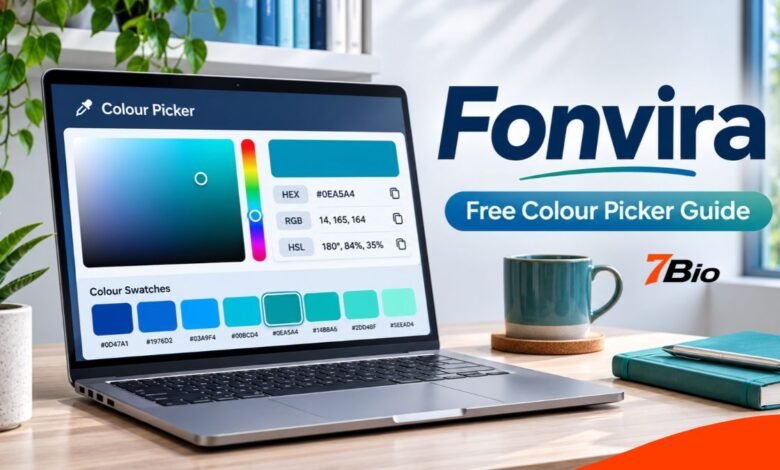
A color code is useful only when it moves accurately from a design idea into a working page. Fonvira is a free, browser-based utility that lets people choose a color, view its HEX, RGB, and HSL representations, preview the shade, and copy the values. It tackles a specific task without demanding a software download or account. That makes it useful to designers, developers, website owners and students, although it is not a complete design or accessibility platform.
The guide explains the formats, a practical workflow, published privacy statements, and checks that remain your responsibility.
What Is Fonvira?
Fonvira is an online color picker and converter. Its official interface includes a color-selection control and a HEX input, with matching RGB and HSL readouts and copy buttons. The operator says the service is available in desktop and mobile browsers and requires no registration.
Quick answer: The tool presents the same selected color in three widely used digital notations, helping users transfer values into compatible applications and stylesheets. It does not choose an accessible palette or validate a complete website on the user’s behalf.
The public pages do not name a founder, confirm a launch date, or provide independently verified user figures. There is no reason to invent those details when evaluating a straightforward utility.
Understanding the Three Color Formats
The tool groups three notations that can represent the same shade in the standard RGB color space. That distinction matters when moving between design files and website code.
HEX: A Compact Reference
A six-digit HEX value begins with a hash symbol. #2563EB, for instance, describes a specific blue, with hexadecimal pairs encoding the red, green, and blue channels. Designers often keep HEX codes in brand guides because they are short and easy to reuse. CSS also supports HEX forms with an additional alpha component for transparency, but the six-digit form shown here is opaque.
RGB: Separate Red, Green, and Blue Values
RGB represents the channels numerically, commonly from 0 to 255 in CSS. That same blue is rgb(37, 99, 235). The notation is useful when inspecting color channels, working in code, or using CSS forms that include transparency. RGB is not inherently more accurate than HEX: the difference is how the information is expressed.
HSL: Working with Hue, Saturation and Lightness
HSL describes a color in terms of hue, saturation, and lightness. The example blue is approximately hsl(221, 83%, 53%) when rounded to whole values. This model helps when exploring color variations, although HSL lightness doesn’t directly express perceived brightness or guarantee text contrast.
| Format | Example | Best suited to |
|---|---|---|
| HEX | #2563EB | A fixed brand reference or CSS value |
| RGB | rgb(37, 99, 235) | Channel-based code and opacity workflows |
| HSL | hsl(221, 83%, 53%) approximately | Exploring hue, intensity and lightness |
Different tools may round HSL values differently. Keep an approved HEX or RGB reference for consistency.
How to Use Fonvira in a Real Project
A useful workflow begins with a color decision and ends with a check in the finished design. The following example illustrates the process; it is not a claim of hands-on testing.
- Begin with a source value. Enter the approved HEX code from your brand guide, or choose a shade if you are exploring a new design.
- Inspect the preview. Confirm the selected color matches your intended shade, but don’t assume a small preview represents the whole interface.
- Choose the correct format. Copy HEX, RGB, or HSL according to what the destination accepts.
- Paste into your project. Copy the value, then confirm whether the destination needs a hash-prefixed code or a CSS function.
- Review the result. Check the color on actual buttons, headings, and backgrounds, including relevant interaction states and mobile layouts.
Imagine a publication updating its website accent. The team starts with an approved blue, retrieves matching formats and records one reference value. Templates can then share the same specification instead of guessing. The converter handles translation; documentation and testing maintain consistency.
Benefits and Limits of a Lightweight Converter
The practical advantage is convenience. A WordPress editor can identify a color value for a theme setting, a student can understand why two CSS examples use different notations, and a developer can compare design specifications with code. You don’t need to open an elaborate illustration application for a simple color conversion.
But Fonvira’s advertised features do not include image color sampling, shared brand libraries, advanced palette generation, print CMYK workflows, or support for every modern CSS color space. Those tasks may call for dedicated software. A conversion also cannot decide whether a blue suits a financial dashboard, whether an accent fits a brand, or whether a group of colors communicates information clearly.
This distinction matters: converting a value is a technical operation; choosing and validating a color scheme is a design responsibility. The first can be automated. The second depends on context, audience and testing.
Accessibility: The Check You Still Need
Accurate color values do not automatically produce readable pages. The Web Content Accessibility Guidelines (WCAG) 2.2 specify a minimum contrast ratio of 4.5:1 for ordinary text and 3:1 for large text, subject to exceptions, under the Level AA minimum-contrast criterion. Other requirements apply to certain interface elements and graphical objects.
Fonvira provides codes that you can take to a dedicated contrast checker, but its advertised core tools do not establish an integrated contrast-ratio test. Check actual foreground and background pairs: white text that works on navy may fail on pale blue.
Never rely on color alone: pair red error and green success states with meaningful labels. Review focus indicators, text sizes and layouts on representative devices.
Is Fonvira Free, Private and Suitable for Commercial Work?
According to the service’s terms dated 22 June 2026, Fonvira is free for personal and commercial use, with conditions prohibiting misuse and misleading republishing. The site says there are no mandatory accounts or paywalls. Its terms also permit users to employ output generated from their inputs, but they do not promise uninterrupted access or perfect accuracy.
Privacy needs a precise distinction. Fonvira says the color calculation happens in the browser and entered values are not sent to its servers for conversion. Its privacy policy, also dated 22 June 2026, states that it does not set advertising or tracking cookies. However, it discloses potential essential Cloudflare cookies, hosting request logs, Google Fonts requests that reveal an IP address to Google’s servers, and a third-party contact-form provider.
Local conversion does not mean zero network requests, and the policy is not an independent audit. Organizations handling sensitive information should review current terms and follow their own security rules.
Common Colour-Selection Mistakes
Guessing brand colors by eye. Similar shades may not be interchangeable. Retrieve the approved value and use Fonvira to convert it rather than treating a visual approximation as authoritative.
Using HSL lightness as a contrast score. A higher percentage doesn’t necessarily produce a compliant text/background pairing. Verify combinations separately.
Pasting a value into an incompatible field. Some tools expect #2563EB; others expect a function such as rgb(37, 99, 235). Copying correctly is only part of the job: the destination syntax must also be correct.
Expecting identical appearance on every device. Displays and lighting vary; review representative screens.
Losing track of source values. Record colors in a shared design guide or CSS variables instead of scattering slightly different codes throughout a website. This makes later corrections easier.
Make Colors Easier to Maintain
A small, well-defined palette is usually easier to manage than dozens of unrelated values. Assign roles for primary accent, text, background, border, and status colors. Use names that describe purpose, such as –color-text, rather than names that become misleading after a redesign.
The tool can convert these reference colors, but keep one canonical value for each role. When a shade changes, review the affected navigation, forms, links, and buttons together to maintain consistency.
FAQs
Can Fonvira be used on a phone?
Yes. The operator describes a browser-based tool usable on desktop and mobile devices without a separate installation.
Does it convert HEX to RGB and HSL?
Yes. A chosen color or entered HEX value produces corresponding RGB and HSL readouts, per the official interface.
Are its colors allowed on commercial websites?
The published terms permit personal and commercial use of the utility and its output, subject to the stated conditions. Permissions for other project assets are separate matters.
Does a correct color code mean an accessible design?
No. Accessibility depends on contrast in context, text and control usability, alternative cues and other factors. Use dedicated checks before publication.
Why can HSL numbers differ slightly across tools?
Converters may display different rounding precision. Compare the underlying source value and avoid repeated conversion of already-rounded numbers when consistency matters.
Final Takeaway
Fonvira addresses a clear, limited need: selecting a color and expressing it as HEX, RGB or HSL without installing software. The biggest benefit isn’t an elaborate feature list, but a simpler transfer from a chosen shade to usable code. Treat it as part of a responsible design workflow, alongside an approved color palette, contrast testing, and a review of the finished interface.