
Cidnet Explained: How Inmate Calls, Video Visits and Payments Work
An essential guide to creating an account, contacting someone in custody, understanding data charges, and resolving common communication problems.

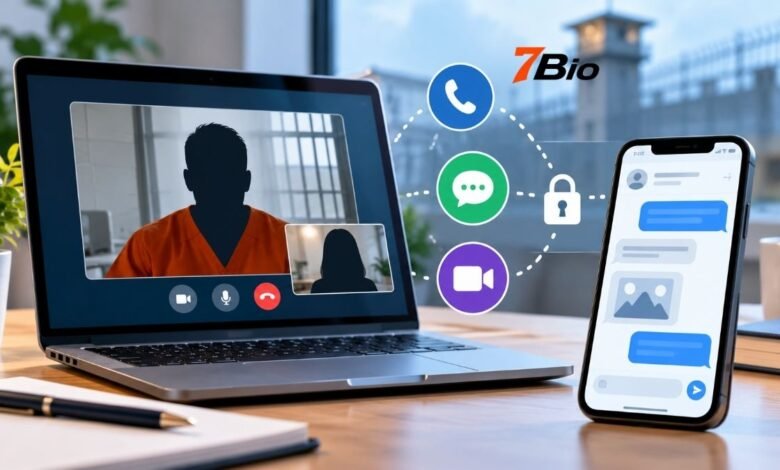
Cidnet is an internet-based communication platform that helps incarcerated individuals stay connected with approved family members and friends. Encartele operates the service, which correctional facilities in the United States use to provide phone calls, digital messaging, and video visitation through a controlled online system.
For families, the platform lets them manage contact requests, purchase communication data, and arrange available services without relying exclusively on traditional jail telephone systems. However, using it successfully involves more than creating an account. Each correctional facility determines which services are available, who may communicate, and when those communications can take place.
Understanding the registration process, payment system, and facility restrictions can help families avoid unnecessary spending and resolve common access difficulties.
What Is Cidnet?
Cidnet is a correctional communication and technology platform that connects incarcerated individuals with approved outside contacts. Its services operate through internet-based applications rather than functioning solely as a conventional telephone provider.
The platform is associated with Encartele, a company that supplies communication technology and related services to detention centers and correctional institutions.
Its primary communication services include voice calling, video visitation and electronic messaging. The company also provides technology for facility administration, digital information delivery and other institutional functions.
Unlike a typical consumer messaging app, the service operates under rules set by correctional authorities. Users cannot assume they can contact anyone freely or communicate whenever they choose.
For families, the key distinction is that creating an online account does not automatically grant permission to communicate with a particular incarcerated person.
How the Communication Platform Works
The system connects three participants: the correctional facility, the incarcerated individual, and the approved outside contact.
Facility administrators control permissions and access to the available communication services. The incarcerated person uses an authorized device or terminal within the institution, while family members or friends access their accounts through the public customer portal.
Most communication services use a prepaid data balance. Instead of measuring every interaction through a conventional flat per-minute telephone charge, the system tracks data consumed during communication.
The provider calls each recorded interaction a Cidnet Utilization Event, commonly abbreviated to CUE. This applies to activities involving its supported voice, video, and mail applications.
The distinction matters because charges depend on data consumption, while communication access remains subject to institutional approval and scheduling.
Main Communication Services
| Service | What It Allows | Important Restriction |
|---|---|---|
| Voice | Receive telephone calls from incarcerated contacts | Calls must be initiated by the incarcerated person |
| Video | Arrange remote or on-site video visits | Scheduling and facility approval may be required |
| Exchange electronic messages | Messages can be reviewed or rejected | |
| Picture Mail | Share photographs through digital messaging | Images are subject to content restrictions |
| Data Access | Purchase and manage communication data | Payment and transfer rules apply |
Not every participating institution offers all these features. Users should check the services available at their specific facility before purchasing data.
How to Create a Cidnet Account
Account registration begins through the official customer portal, customer.cidnet.net.
The registration process establishes a verified account before you can communicate with an incarcerated contact.
To register:
- Open the official customer portal and select Register.
- Enter your first name, last name, email address, and time zone.
- Select the appropriate state and correctional facility.
- Review and accept the terms of use.
- Open the verification email sent to your registered address.
- Follow the verification instructions and enter the required security PIN.
- Set up the requested security questions and create your password.
- Sign in using your registered credentials.
Once the account is active, you may need to provide additional identity information before a correctional facility authorizes contact.
Some facilities require users to upload a valid government-issued photographic ID. Accurate registration information is especially important because facility staff may use it when reviewing contact requests.
Users should access the service through the provider’s official portal, not unfamiliar websites that request login credentials or payment details.
How to Find and Add an Incarcerated Person
Registering an account is only the beginning. Users must also identify the person they want to contact and submit the appropriate connection request.
After signing in, go to the account menu and select Add an incarcerated person. Select the state, choose the correct facility, and search using the person’s first or last name.
When the appropriate record appears, select it and provide the requested relationship information. The system then submits the contact request for processing.
According to the provider’s guidance, these requests are typically reviewed within one or two days, although actual processing depends on facility procedures and staff availability.
If the person’s name does not appear, the account has not necessarily malfunctioned. The institution may not have added their record, or the individual may have been transferred or released.
Contacting the correctional facility directly is often the most effective way to confirm the person’s location and determine whether their record is available for electronic communication.
How Phone Calls Work
Voice communication is one of the platform’s main services, but it has an important limitation: an outside contact generally cannot initiate a telephone call directly to an incarcerated individual.
Instead, the person inside the facility must initiate the call using an authorized communication device.
When a call is received, the approved recipient can accept or decline it according to the options provided.
The platform uses data-based billing, so call charges relate to the communication data consumed rather than simply following a traditional rounded-minute pricing structure.
Families should keep their account information current and verify their telephone number when required. The official account instructions offer verification options via text message or automated telephone call.
Calling hours, approved contacts, and device availability depend on the institution.
Video Visitation and Scheduling
Video visitation allows eligible individuals to communicate face-to-face using supported devices, subject to the correctional facility’s rules.
Depending on the institution, visits may be available remotely or through designated on-site equipment.
Users can arrange an eligible visit through the video section of their account, choose the relevant incarcerated contact, and select from the available scheduling options.
The platform may require confirmation of the appointment and acceptance of compatibility or visitation conditions.
Successful video communication also depends on adequate internet connectivity and functioning camera and microphone permissions.
A poor connection can interrupt a session. The provider recommends a stable Wi-Fi or wired connection and advises users to minimize unnecessary movement during video communication.
Families should not assume that a requested appointment has been approved until the relevant scheduling process is complete.
Understanding Cidnet Pricing and Data Charges
One of the platform’s distinguishing features is its data-based payment model.
Users purchase communication data, measured in megabytes, which can be used across eligible voice, video, and messaging services.
An official purchasing interface has listed a rate of $0.30 per megabyte. However, published prices may change, and additional transaction charges can affect the final purchase total.
The provider’s published payment terms have also described a $2.99 data-security-token charge and a 5% merchant-processing charge. Users should verify the current amounts and conditions at checkout rather than assuming that the data rate represents the complete transaction cost.
For illustration, at a rate of $0.30 per megabyte:
| Data Amount | Data Cost Before Additional Charges |
|---|---|
| 10 MB | $3.00 |
| 25 MB | $7.50 |
| 50 MB | $15.00 |
| 100 MB | $30.00 |
These figures illustrate the stated data rate; they are not guaranteed checkout totals or estimates of how many minutes of communication a particular purchase will provide.
Actual data consumption depends on the application and the communication session.
Purchasing a relatively small amount initially can help new users understand their usage before committing more money.
Can Purchased Data Be Transferred?
The platform provides a data-transfer function that lets an outside contact transfer a selected amount of purchased data to an incarcerated individual’s account.
The transfer process involves selecting the person, entering the amount, and accepting the applicable transfer conditions.
However, not every facility permits transfers. Users should confirm whether the feature is enabled before relying on it.
Digital Messages and Photo Sharing
Electronic messaging offers another way for families to remain in contact when telephone calls or video appointments are inconvenient.
The Mail application allows approved contacts to exchange text messages. Some facilities also support picture messages.
Users select the appropriate contact, compose their message, and submit it through the online interface. When enabled, photograph sharing follows a similar process.
Messages may be reviewed by correctional personnel before delivery. Content restrictions can apply to photographs, language, and other material.
An important financial consideration is that a declined message may still consume purchased data. The provider’s published FAQ explains that data used to send rejected text or picture messages is not automatically returned.
Families should therefore familiarise themselves with facility rules before sending images or potentially prohibited content.
Privacy, Monitoring and Communication Security
Communication through a correctional facility is not equivalent to private messaging between ordinary consumer accounts.
The provider explains that it records and monitors communications for institutional security purposes.
Correctional staff may review messages, calls, and video interactions, and facilities can restrict access or communication privileges when users violate their rules.
The platform also offers administrative tools designed to support communication oversight and record management.
For users, this means sensitive personal details should be shared cautiously. Avoid sending passwords, banking credentials, or other unnecessary confidential information through monitored communication channels.
The system is designed to provide controlled connectivity, not unrestricted private correspondence. Its security features do not guarantee that conversations are confidential from facility staff.
Common Problems and How to Resolve Them
Several difficulties arise during account setup and everyday use. Understanding their likely causes can prevent repeated attempts that do not address the underlying issue.
You can’t find an incarcerated contact. First, check the selected state and facility. If the details are correct, contact the institution to confirm whether the person has been registered, transferred, or released.
The contact request remains pending. Approval depends on facility review. Confirm the profile information is complete and that any required photo ID has been submitted.
Video communication does not start. Check the scheduled appointment, internet connection, and device permissions. The provider recommends Google Chrome when a device compatibility warning appears.
A payment card is declined. Incorrect billing addresses, insufficient funds, or bank security checks may prevent a transaction. Confirm the payment details and contact the card issuer when necessary rather than repeatedly submitting unsuccessful attempts.
An incarcerated contact has been blocked. Account settings allow users to block an individual. Reversing a block may require assistance from the provider’s support team.
If account-level troubleshooting doesn’t resolve an issue, the user can submit a support request through the customer portal.
Unused Data, Refunds and Buyback Requests
Unused communication data may be eligible for a buyback request under the provider’s applicable terms.
The customer FAQ explains that users can open the Support section, create a new request, and select the option to sell back unused data.
A short explanation must be supplied before submitting the request for review.
The provider also states that users should wait five days after their most recent transaction before making a buyback request.
Different rules apply to different situations. For example, unused data from a canceled or interrupted video appointment may be returned to the user’s balance, while data already consumed by a declined message is generally not credited back.
A buyback request is therefore different from an automatic refund of every payment.
Before purchasing substantial quantities of data, users should review the current terms governing fees, unused balances, and payment processing.
Why This Technology Matters for Correctional Communication
Maintaining contact with incarcerated family members can be difficult when communication depends on facility schedules, restricted telephone access and fragmented service providers.
An internet-based platform offers a more centralized way to manage several communication methods through one account.
For families, the practical benefit is managing messaging, visitation scheduling, and eligible phone communication within a single system.
Correctional institutions may also use the technology to control approved contacts, review activity and coordinate communication services.
These operational advantages do not remove the financial or privacy limitations. Access still depends on institutional policies, and families remain responsible for understanding the charges attached to their use.
The platform’s value is best assessed through three considerations: which services the facility offers, what those services cost, and how reliably approved contacts can use them.
FAQs
Is Cidnet available at every jail in the United States?
No. The service operates at participating correctional facilities. Availability of voice, video, and messaging also varies by institution.
How long does account approval usually take?
The provider says it typically reviews contact requests within one or two days. Individual facilities may take longer depending on staffing, identity checks and approval requirements.
Can family members use the service on a smartphone?
Yes, supported mobile devices can access relevant customer services. Video communication requires a compatible browser or app, appropriate permissions, and a reliable internet connection.
Can I recover money from an unused data balance?
The provider offers a process to request a buyback of eligible unused data. The outcome depends on the applicable terms, account circumstances, and processing requirements.
Who should I contact if my account is not working?
Users can submit a support ticket through their customer account. The provider’s published support number is (888) 984-1903, with its FAQ directing callers to select prompt 2 and leave the requested details.
Final Takeaway
Cidnet provides a structured digital communication system for people in correctional facilities and their approved outside contacts. Its combination of telephone calling, video visitation, and electronic messaging lets users manage several essential services through a common platform.
The best starting point is to confirm the relevant facility participates, complete registration accurately, and obtain contact approval before purchasing significant amounts of data.
Families should also understand that communication is monitored, services differ by institution, and data charges may include additional transaction fees.
With those practical details in place, users can make better-informed decisions about how to stay in touch and manage communication costs.